The European, US and Japanese patent offices provide online access to prosecution files. SIPO launched the Chinese version of the China Patent Inquiry System (CPQUERY) on April 27, 2012, providing access to some file documents, such as office actions. The English interface followed on November 29, 2012. This article introduces the basic search method using that interface.
System overview
Languages: Chinese and English interfaces are available. The source announces plans for Spanish, French, German, Japanese, Korean, Portuguese and Russian interfaces.
Charges and updates: Access is free, and the system is updated once a week.
Coverage: Published applications filed after February 10, 2010 can be viewed and printed.
Enquiries: [email protected].
Availability: Not every document is public; for example, responses to examination opinions are not available through the system. If a complete file is needed, including office actions, responses and claim amendments, it can be obtained from SIPO.
1. Two ways to access the system
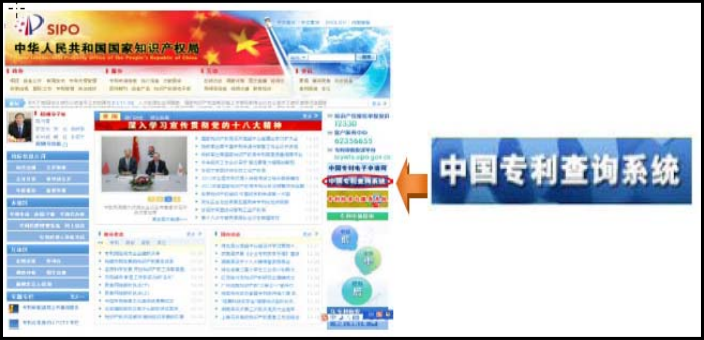
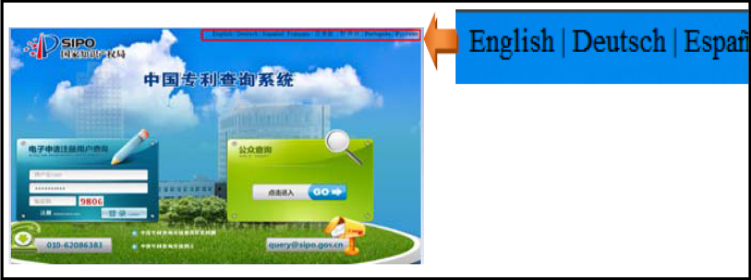
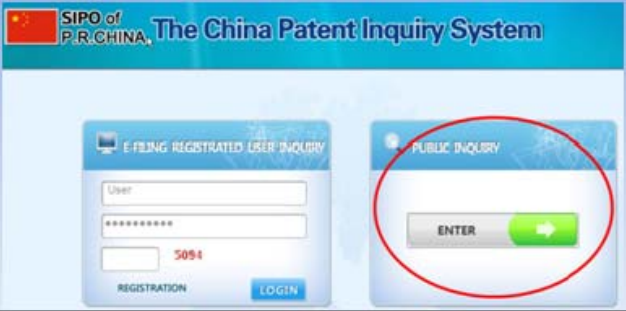
Via SIPO: Visit http://www.sipo.gov.cn/ and select the China Patent Inquiry System in the upper-right area. On the CPQUERY homepage, choose English at the upper right to reach the English interface shown in Figure 1. The two homepage screenshots are reproduced below.
Directly: Visit http://cpquery.sipo.gov.cn/index_en.jsp?language=en_US to open the same interface.
2. Search procedure
The example uses Chinese application 201110053868.4, filed on March 7, 2011.
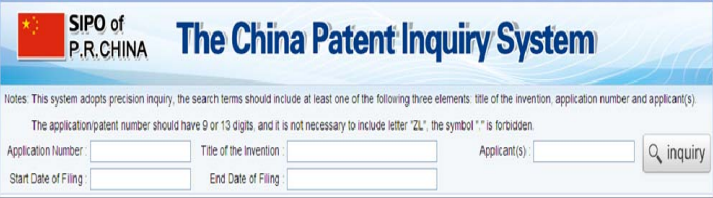
Step 1: Select ENTER in Figure 1. On the next page, select Agree and then NEXT. The search form in Figure 2 appears.
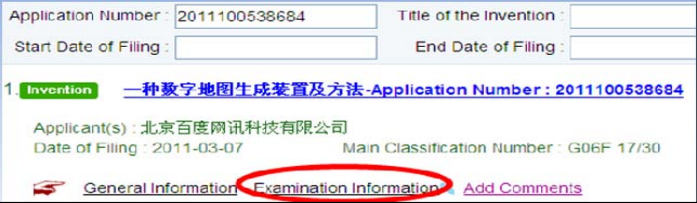
Step 2: Enter 2011100538684 in the Application number field and select inquiry. The results page in Figure 3 appears.
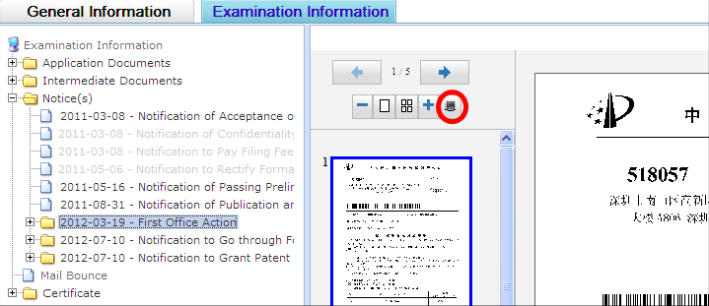
Step 3: Select Examination Information. On the page in Figure 4, open Notice(s) and select First Office Action to view the office action. Select the icon circled in red to print it.
3. Points to note when searching
(1) An application-number search requires 13 characters: retain the check digit but omit the decimal point. For example, enter 2010102508674 for application 201010250867.4.
(2) Searches by invention title or applicant require an exact match in Chinese. Enter the complete Chinese applicant name, such as 索尼公司 for Sony Corporation, rather than the abbreviated 索尼 or the English name SONY.
(3) Complete at least one of the Application number, Title of the invention or Applicant fields.
As an exercise, try retrieving an office action for application 201010129263.4, filed on March 9, 2010. Successfully viewing and printing it demonstrates the search method described above.
Screenshots